Weather Radar - Meteored News
MeteoredWeather
4.710.05K Reviews
- Version
- 8.13.2_free
- Installs
- 50.00M
- Age Rating
- Everyone
Screenshots
Our Review of Weather Radar - Meteored News
 Analysis by Appyee
I usually open a weather app for one practical reason: I want to know whether conditions near me are changing, not just what the sky looks like at this exact moment. Weather Radar - Meteored News puts the radar map at the heart of that check. I find that useful when I’m deciding whether to leave now, wait a little, or bring a rain jacket along. It’s a free weather app from Meteored, and its strongest appeal is turning a broad forecast into a visual view I can use for everyday plans.
Why the radar view matters
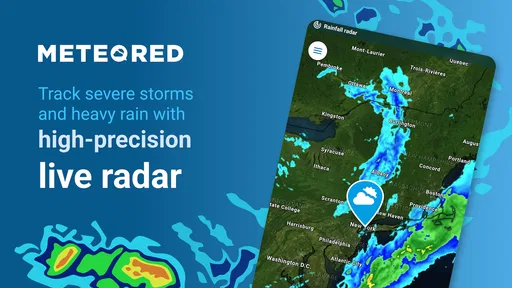
A daily forecast gives you a helpful overview, but a radar map answers a different question: where weather activity appears to be moving in relation to the places you care about. In my experience, that visual context is more useful than repeatedly reading a single line such as “rain later.” I can inspect nearby areas, zoom the map, and get a sense of whether a shower is close enough to affect a walk or commute.
The map is still a tool for interpreting conditions, not a promise about exactly what will happen at my front door. Local weather can shift, and a colored patch on a screen doesn’t tell me with certainty how long rain will last on my street. I treat the radar as a way to make a better-informed choice, then use the forecast and alerts for the wider picture. The useful habit is checking direction and context, rather than treating one snapshot as a guarantee.
How I use it in practice
For a quick check, I start with the current conditions and forecast, then open the radar when the sky looks unsettled or my plans depend on a dry window. I zoom in around the route or neighborhood I have in mind and look beyond the exact point where I’m standing. That helps me avoid the common mistake of assuming that clear weather at home means the whole journey will be clear too.
When I’m planning ahead, I use the forecast for the broad outline and the radar for the immediate decision. The two views do different jobs: one helps me think about the day, while the other gives a closer look at nearby activity. If the weather is changing quickly, I check again before setting off rather than relying on an earlier glance. That small routine is more sensible than expecting any forecast app to remove uncertainty.
A realistic reason to keep it handy
Imagine I’m about to walk to the shops and the clouds are gathering. I can check the forecast, then use the map to see whether weather activity is near enough to change my plan. If I’m meeting someone outdoors later, I can also keep another location saved and compare conditions before deciding where to meet. Multiple locations are particularly handy for checking on family, a destination, or a place I’m travelling to without replacing my current location each time.
Alerts add another layer for situations when I don’t want to keep opening the app. I’d use them for important changes that could affect plans, while keeping the settings focused on what I actually need to hear about. Too many notifications can become background noise, so choosing relevant alerts is part of making the app useful rather than distracting. For a short walk, I may just check the map; for a day with changing plans, alerts can help me remember to reassess.
Where it fits among weather apps
Compared with a simple phone weather panel, this app gives me a more hands-on way to inspect conditions instead of stopping at a temperature and a brief forecast. Compared with opening a separate radar site, having the map alongside forecasts, alerts, and weather reporting keeps the everyday check in one place. I prefer that combination when I want a quick decision without juggling several sources.
There is a trade-off: the extra detail is most valuable when I’m willing to look at it. If I only want to know whether it will be warm or cold, a basic built-in weather view may be quicker and less busy. And when a decision has serious consequences, I would not rely on a single app or map alone; I’d also pay attention to official local warnings and conditions around me. The radar helps me judge, but it doesn’t replace common sense.
Who gets the most from it
I think the app suits people who regularly make plans around outdoor conditions: commuters, dog walkers, parents arranging activities, and anyone who travels between locations. It is also useful for someone who likes a visual explanation of changing weather rather than a list of numbers alone. Meteored has built a familiar daily-weather experience around a feature that rewards a little curiosity, without requiring me to be a weather expert.
It may be more than you need if you rarely check forecasts or only want a basic glance at the temperature. The news section may also be secondary for someone who wants a strictly minimal weather screen. I’d keep the app for the combination of radar, alerts, multiple locations, and reports, but I would skip it if that extra context felt like clutter rather than help.
First Impressions
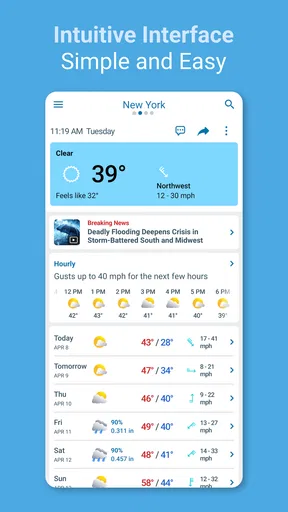
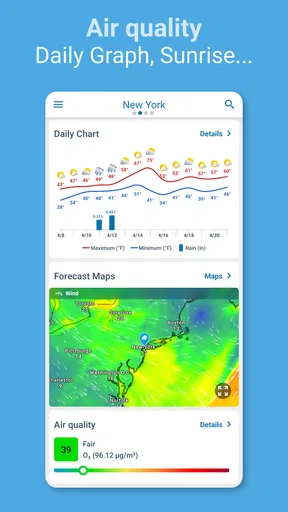
Installing Weather Radar - Meteored News was a breeze. The app’s interface is sleek and user-friendly, perfect for both tech-savvy individuals and those who just want to get the job done without any fuss. Right from the get-go, the app presents you with a clean dashboard that highlights the current weather, weekly forecasts, and even a radar map to check out any approaching storms.
Features That Stand Out
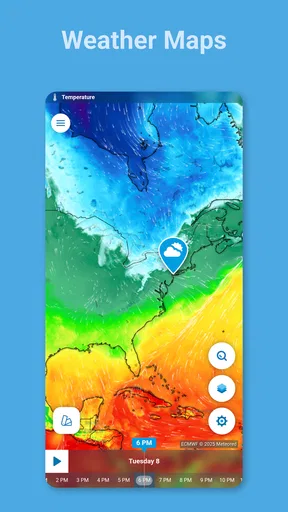
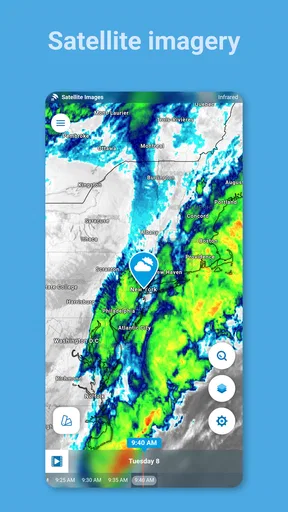
One of the first things I noticed was the interactive radar map. It’s not just a static image; you can zoom in and out, scroll through different regions, and even get detailed information on specific weather patterns. This feature alone makes it feel like you’ve got a mini meteorologist in your pocket.
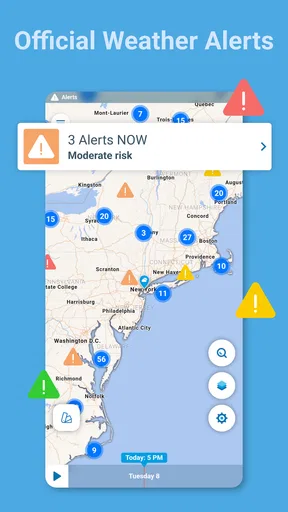
Another nifty feature is the weather alerts. You can customize these notifications to ensure you’re only getting alerts relevant to your location and preferences. Whether it’s a severe thunderstorm warning or just a drop in temperature, the app keeps you in the loop.
Personalized Experience
One thing I really appreciate is the personal touch. You can set up multiple locations, which is ideal if you travel frequently or just want to keep an eye on the weather in different parts of the world. It’s like having a global weather station in your pocket.
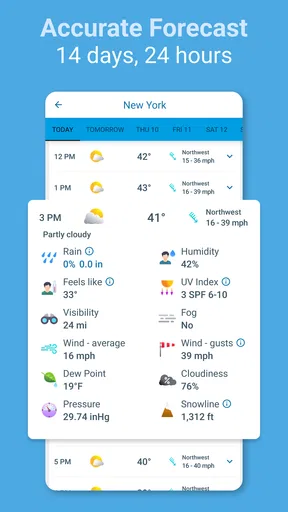
The app also offers detailed weather reports that include humidity levels, wind speed, and visibility. For those who like to get into the nitty-gritty details, this app covers it all without overwhelming you with too much information.
News & More
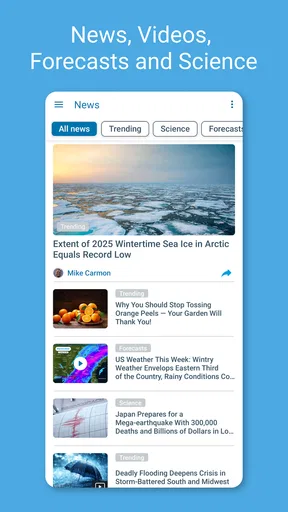
But wait, there’s more! Weather Radar - Meteored News isn’t just about forecasts and radars. It also features a news section that covers the latest in weather-related news globally. Whether it’s climate change updates or local weather events, you can stay informed with credible articles and stories.
Final Thoughts
In a nutshell, Weather Radar - Meteored News is a solid choice for anyone looking to stay updated on the weather in a simple yet informative way. The app combines functionality with a clean interface, making it a go-to for daily weather checks. So, if you’re tired of getting caught in the rain or simply want to plan your sunny days better, give this app a try. It might just become your new weather buddy!
What to expect before installing
The app has been available since April 3, 2012, and its current release is 8.9.2_free. It is rated for Everyone and supports devices running Android 8.0 or later. Those details make it worth checking compatibility before downloading, especially if you use an older phone or tablet. On the store, it has a 4.8 average from around 2.6 million ratings, with over 50 million installs; that scale suggests it is a well-established option, though popularity alone cannot tell you whether its layout suits your habits.
There is no charge to install it, but optional in-app purchases range from $0.99 to $7.99 per item. I’d start with the free experience and decide whether any paid extras matter to my routine, rather than assuming they are necessary for checking everyday conditions. If you prefer never to see optional purchase prompts or want a completely stripped-back tool, that is a reasonable reason to choose a simpler alternative.
Small habits that make the map more useful
One practical tip is to check the map at two levels of zoom. A close view helps me focus on my immediate area, while a wider view can show whether weather activity is nearby or part of a larger pattern. I don’t need to study every part of the map; comparing the local picture with the wider one is enough to avoid overreacting to a small patch directly over my location.
I also try to connect the map to a decision. Before a bike ride, I look at the route and timing; before an outdoor meal, I check the place where we’ll actually sit, not just the town name. For a day trip, saving the destination as a separate location is less fiddly than repeatedly searching for it. These little choices make the app’s map and location tools feel purposeful instead of turning a weather check into aimless browsing.
Another useful distinction is between “I need to know now” and “I need to plan the day.” The radar is most valuable for the immediate question, while the broader forecast helps me prepare for later. If the forecast and what I see outside seem at odds, I treat that as a cue to keep checking rather than choosing whichever screen is more reassuring. That approach is especially useful when plans are flexible: I can shift a walk or errand instead of expecting a precise prediction.
Limits worth keeping in mind
Radar is compelling because it looks concrete, but the visual detail can create more confidence than the situation deserves. A map can help me understand nearby weather activity; it cannot tell me exactly what every street will experience. I would be cautious about making a safety-critical call from a colorful display alone, particularly during severe conditions. Alerts and local official guidance matter more when the stakes are high, and I still pay attention to what is happening outside.
There is also a personal trade-off in the amount of information. Current conditions, forecasts, reports, alerts, a map, and news give the app several ways to be useful, but someone who only wants a single temperature may find that broader experience unnecessary. Notifications need a little thought too: I would keep the ones that can change a plan and mute the rest if they become intrusive. A weather app should reduce uncertainty where possible, not make me feel I have to monitor it constantly.
For a user choosing between this and a basic built-in forecast, the key question is whether seeing nearby activity changes decisions often enough to justify another app. If it does, the interactive map is a meaningful reason to install Meteored’s option. If not, a built-in panel may be faster and perfectly adequate. People who want detailed radar interpretation or make high-stakes decisions should also consult sources suited to that purpose rather than treating this as a professional forecasting instrument.
My recommendation
Weather Radar - Meteored News works best for me as a practical companion, not an authority that removes the need to think. I’d recommend it to anyone who often has to decide whether to go now, wait, or change an outdoor plan, and who appreciates checking more than one location. Its strongest value is the way radar adds local visual context to the usual forecast-and-alert routine.
If your weather needs are occasional and basic, there is no reason to install a more involved app just because it offers extra detail. But if rain timing, route choices, or plans across several places regularly affect your day, I think this is a worthwhile free starting point. I’d use the map to inform the decision, keep alerts selective, and turn to official local warnings whenever conditions call for more than an everyday forecast.
Privacy and Permissions
See what permissions an app requests and how it handles your data.
- Location
- approximate location (network-based), precise location (GPS and network-based)
- Photos/Media/Files
- read the contents of your USB storage
- Storage
- read the contents of your USB storage
- Microphone
- record audio
- Wi-Fi connection information
- view Wi-Fi connections
- Other
- view network connections, full network access, change your audio settings, run at startup, control vibration, prevent device from sleeping, read Google service configuration
Verdict
Strengths of Weather Radar - Meteored News
- Accurate real-time weather updates.
- User-friendly interface with easy navigation.
- Customizable alerts for severe weather.
- Detailed forecasts including wind speed.
- Interactive maps with radar overlays.
Limitations of Weather Radar - Meteored News
- Ads can be intrusive at times.
- Limited offline functionality.
- Some features require premium access.
- Occasional lag in map loading.
- Data usage can be high for maps.
Similar Picks in This Category
View All
Weather - By Xiaomi
Xiaomi Inc.4.1

Weather & Radar Forecast
WetterOnline4.8

Weather
OneLouder Apps4.6

AccuWeather: Weather Radar
AccuWeather3.6

The Weather Channel - Radar
The Weather Channel4.6

1Weather Forecasts & Radar
OneLouder Apps4.3
Frequently Asked Questions
What features does Weather Radar - Meteored News offer?
Weather Radar - Meteored News provides real-time weather updates, interactive radar maps, and detailed forecasts. Users can access alerts for severe weather conditions and enjoy an intuitive interface that includes weather news and articles. The app also offers customizable notifications to keep you informed about the weather changes in your area.
Is Weather Radar - Meteored News free to use?
Yes, Weather Radar - Meteored News is free to download and use. However, it may offer in-app purchases or premium features that enhance the user experience. These additional features might include ad-free usage, advanced radar options, or extended forecast details. It's always recommended to check the app store listing for specific pricing information.
How accurate is the weather forecasting in the app?
Weather Radar - Meteored News utilizes advanced meteorological technology and reliable data sources to provide accurate forecasts. While no weather prediction can be 100% precise, the app is designed to offer dependable updates. Users can benefit from a combination of radar imagery, satellite data, and forecast models to stay informed about upcoming weather conditions.
Can I receive weather alerts specific to my location?
Yes, Weather Radar - Meteored News allows users to set up location-specific weather alerts. By enabling location permissions, the app can send you notifications about severe weather conditions, temperature changes, and other significant updates relevant to your area. Customizable alert settings ensure you receive timely information tailored to your needs.
Does the app support multiple locations for weather tracking?
Absolutely, Weather Radar - Meteored News supports tracking weather for multiple locations. Users can easily add and switch between different cities or regions to monitor weather conditions in various areas. This feature is particularly useful for those who travel frequently or need to keep an eye on weather changes in multiple locations.
